TagVault Get TagVault

For iPhone · Free · No account

Find anything in your home.

Snap a photo, give it a box, stick on a tag. TagVault remembers where everything is, in your house, office, barn or shop, and your family or team can find it too. It all stays on your phones.

Where's the cordless drill?
Cordless drillGarage›Garage cabinet›Ground floor

See it work

Ask, and it shows you the shelf.

Real recordings of TagVault, filled with the sample home that ships inside the app.

Ask your stuff

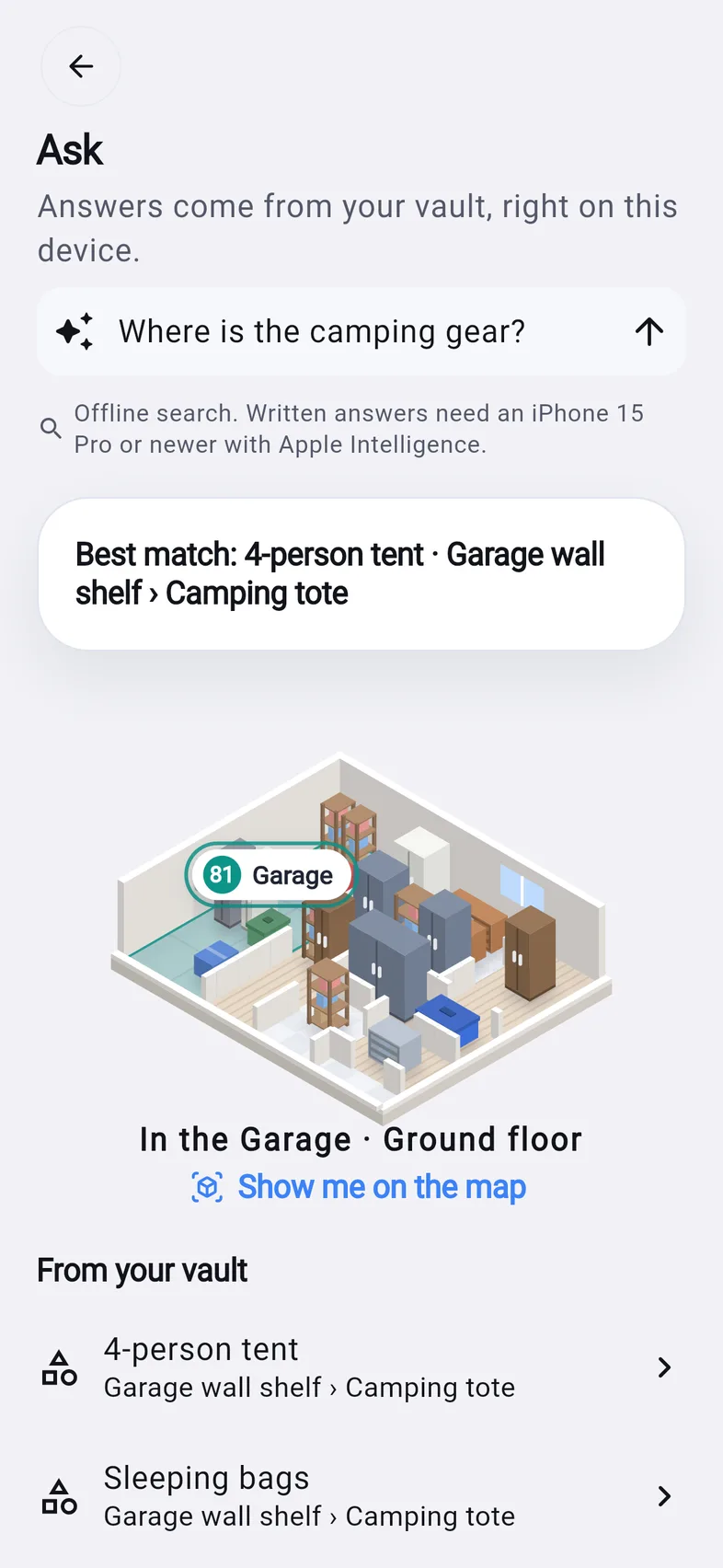
“Where is the camping gear?” gets the room, the shelf and a map pin.

Search everything

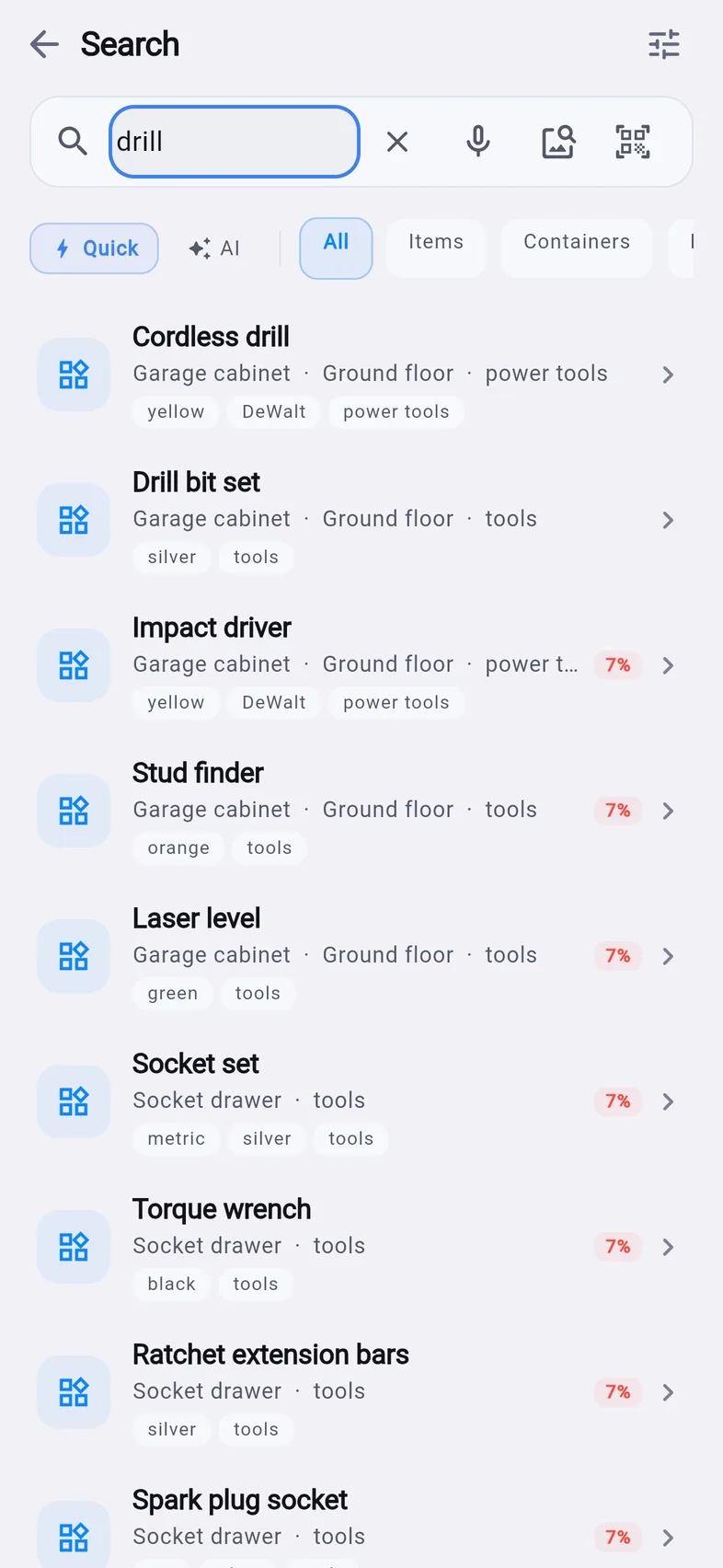
Names, colours, brands, tags and receipt text, matched as you type.

Your home, mapped

Floors, rooms and boxes laid out like your house. Tap a room to look inside.

The two-minute tour

Snap, tag, scan, lock your papers and share with family, the way the app shows it.

Everything it does

One home for every thing you own.

Find it

SearchFind things by name, colour, brand, tag or the words on a receipt. Works with no signal.
Ask your stuffAsk in plain words, like “when does the TV warranty end?”, and get the answer with the box it's in.
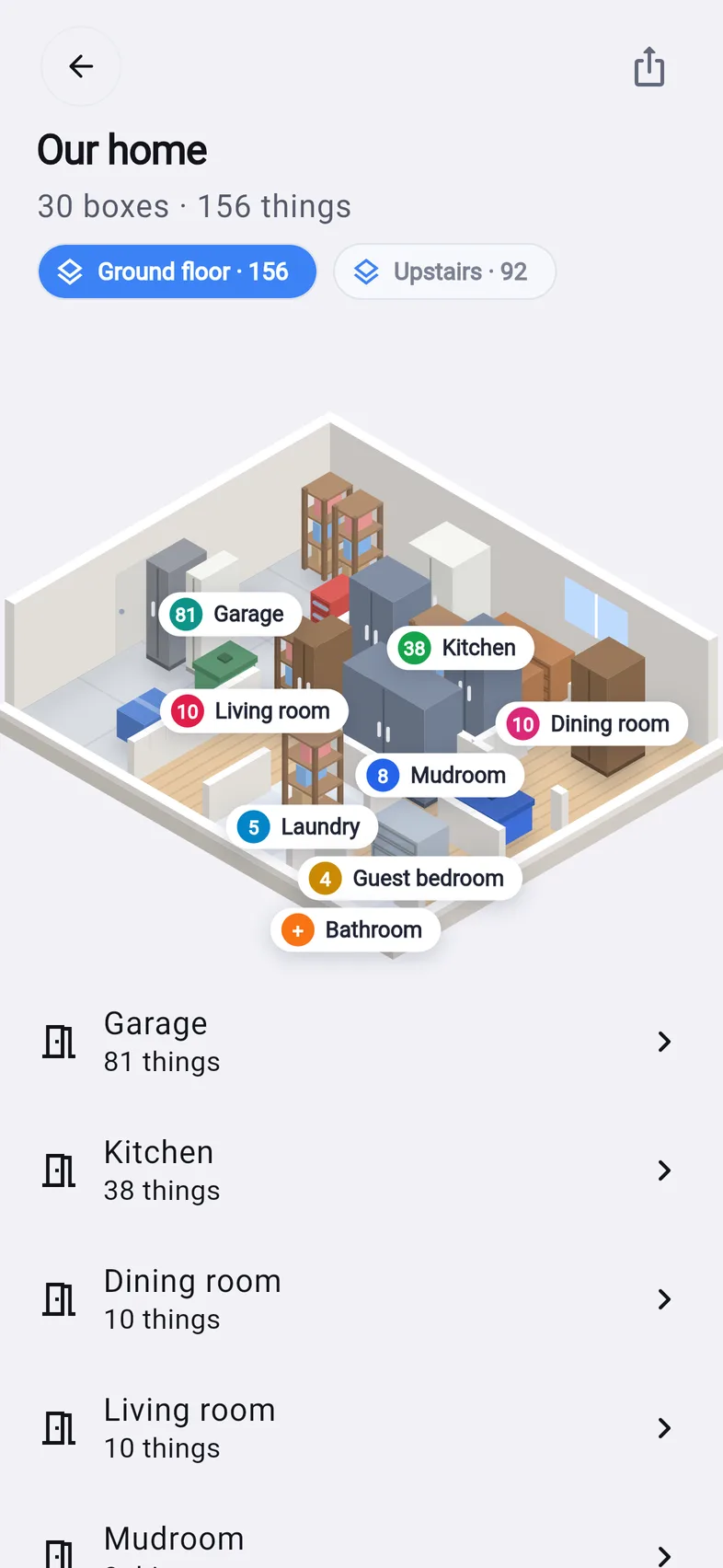
Home mapA 3D map of your home, floor by floor. Every room shows how many things it holds.
SpotlightYour things show up in iPhone search. Tap one to open it.

Add it

Snap and it fills itself inTake a photo and TagVault suggests a name, colour and search tags, worked out on your phone.
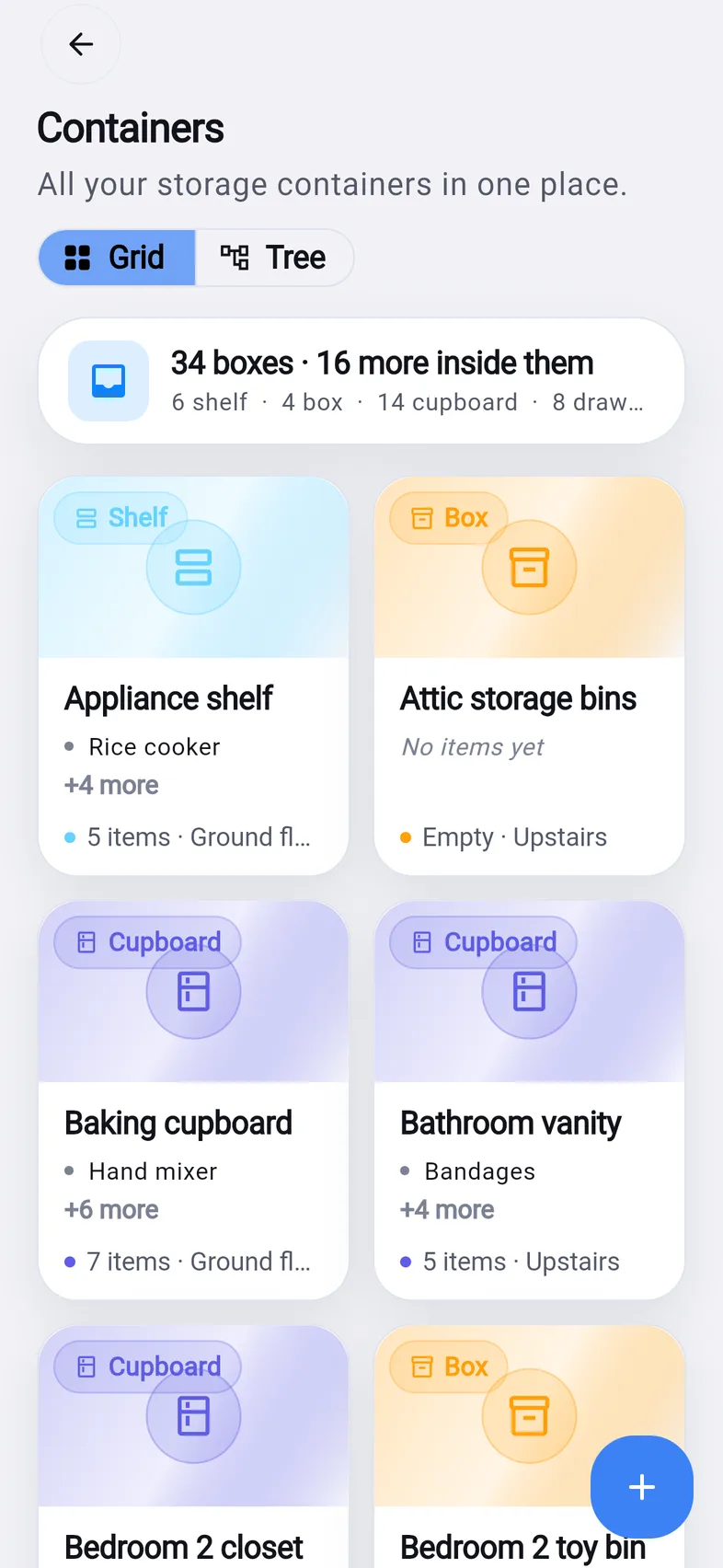
Boxes inside roomsRooms, cupboards, shelves, drawers and bins, nested as deep as your home goes.
Move and check outMove a thing or a whole box in two taps. Lend something and see who has it.
As many spaces as you needHome, office, barn, shop or storage unit. Each is its own vault, one tap apart.
Set up in a minuteAnswer three questions about your home and TagVault draws the rooms for you.

Tag it

NFC tagsStick a tag on a bin. Hold your iPhone to it and the box opens, showing what's inside.
QR labelsPrint a label for any box, bin or shelf. Your Camera opens it.
AirTag linkGot an AirTag in the suitcase? Jump from the thing to Find My.

Keep your records

Papers, lockedPassports, licences and cards are encrypted and open with Face ID. Tap a number to copy it.
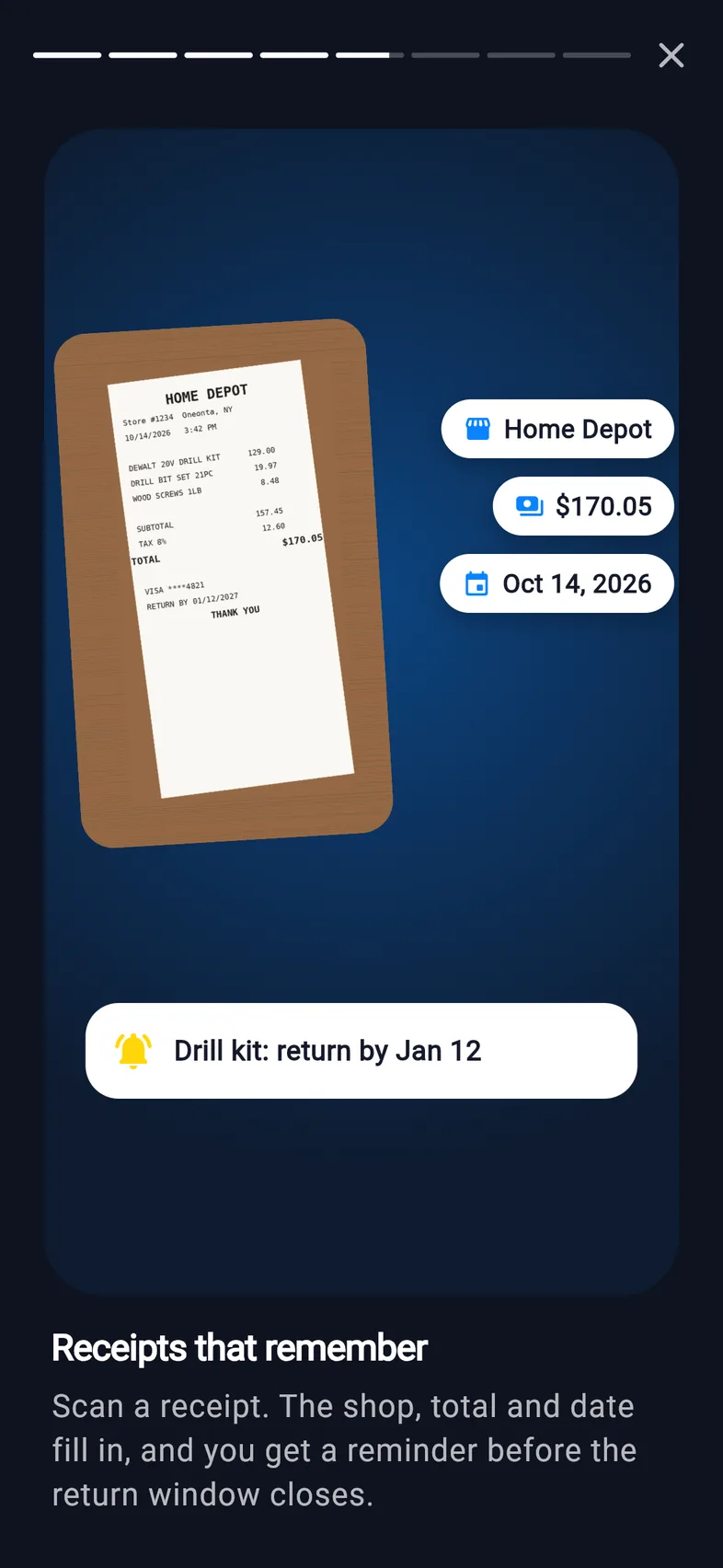
Receipts and warrantiesScan receipts and keep them with the thing. With Apple Intelligence, the shop, total and date fill in. Get a nudge before a return window or warranty ends.
Inventory valueAdd what things cost and export a home inventory for your insurer.

Share with family

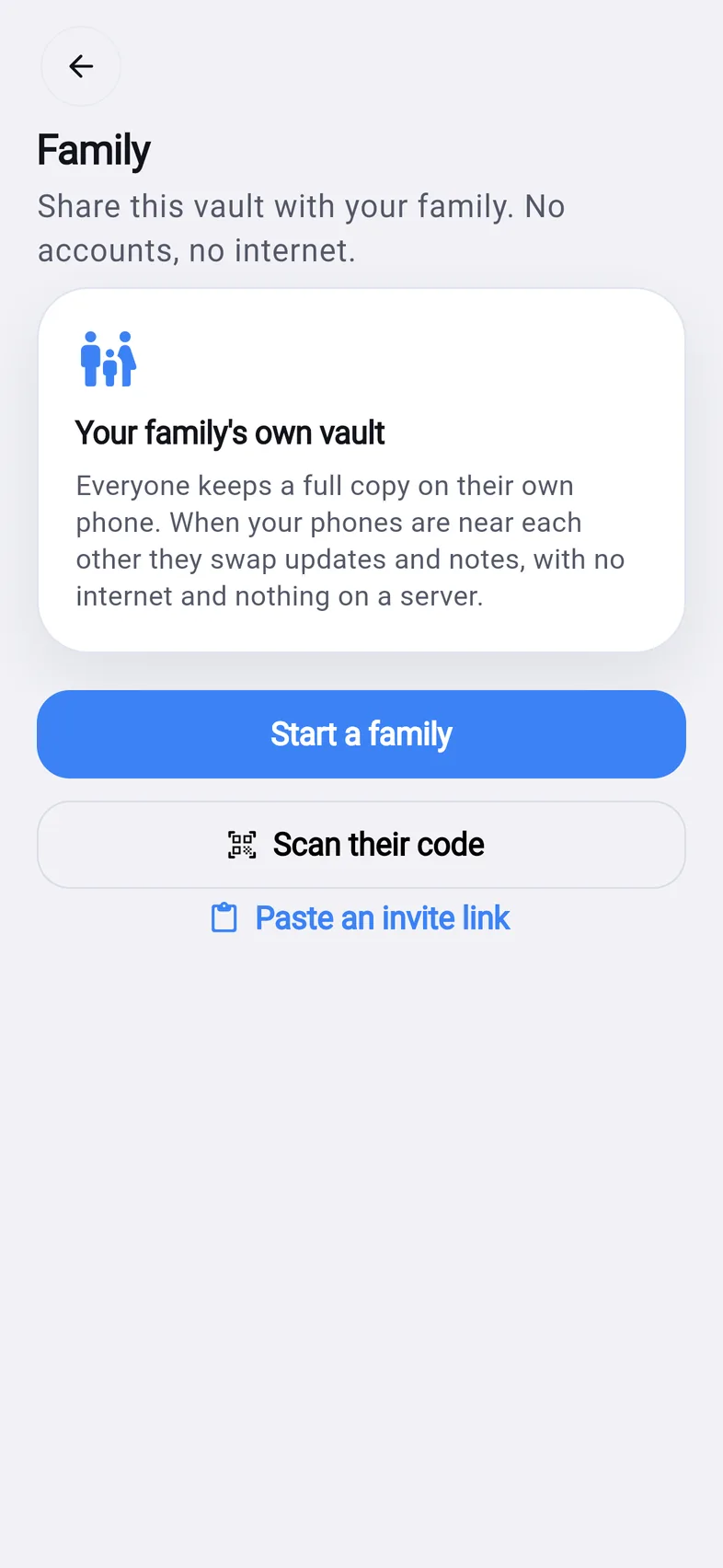
Phone to phoneScan a family code once. After that, phones swap updates when they're near each other. No internet needed.
Roles for everyoneOwner, Adult and Kid. Kids add and find things but can't delete yours or open Records.
Only meMark any box as yours alone. It and everything inside never leave your phone.
iPhone and iPadAdd your iPad like a family member and it stays in step.

Built into your iPhone

Siri and ShortcutsSay “Where's my passport in TagVault” and hear the room and box.
Widgets and controlsFind, Snap, Scan and Ask from the Home Screen, Lock Screen or Control Center.
Live ActivityFilling a box? Your progress sits on the Lock Screen and in the Dynamic Island.
Made for everyoneDark mode, Dynamic Type, VoiceOver and Reduce Motion, all supported.

Screens

A closer look.

Ground floor map listing Garage with 81 things and Kitchen with 38
Home map
Ask answering: 4-person tent, Garage wall shelf, Camping tote, shown on the map
Ask
Search results for drill with the box and floor for each
Search
Boxes grid: appliance shelf, attic storage bins, baking cupboard, bathroom vanity
Boxes
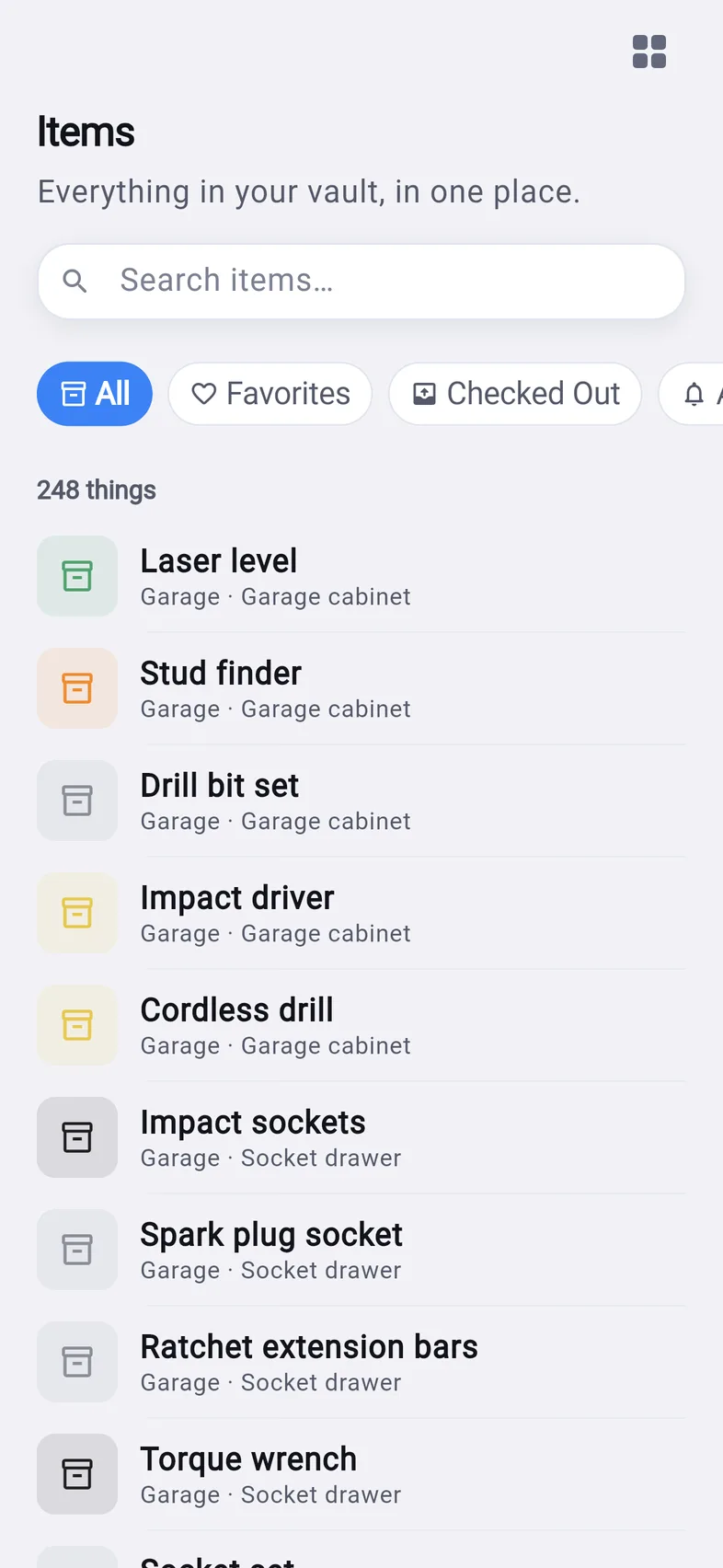
List of 248 things with the room and box for each
Things
A scanned receipt with the shop, total and date filled in and a return reminder
Receipts
Family screen: start a family or scan their code, no accounts and no internet
Family

Every place

One app for every place you keep things.

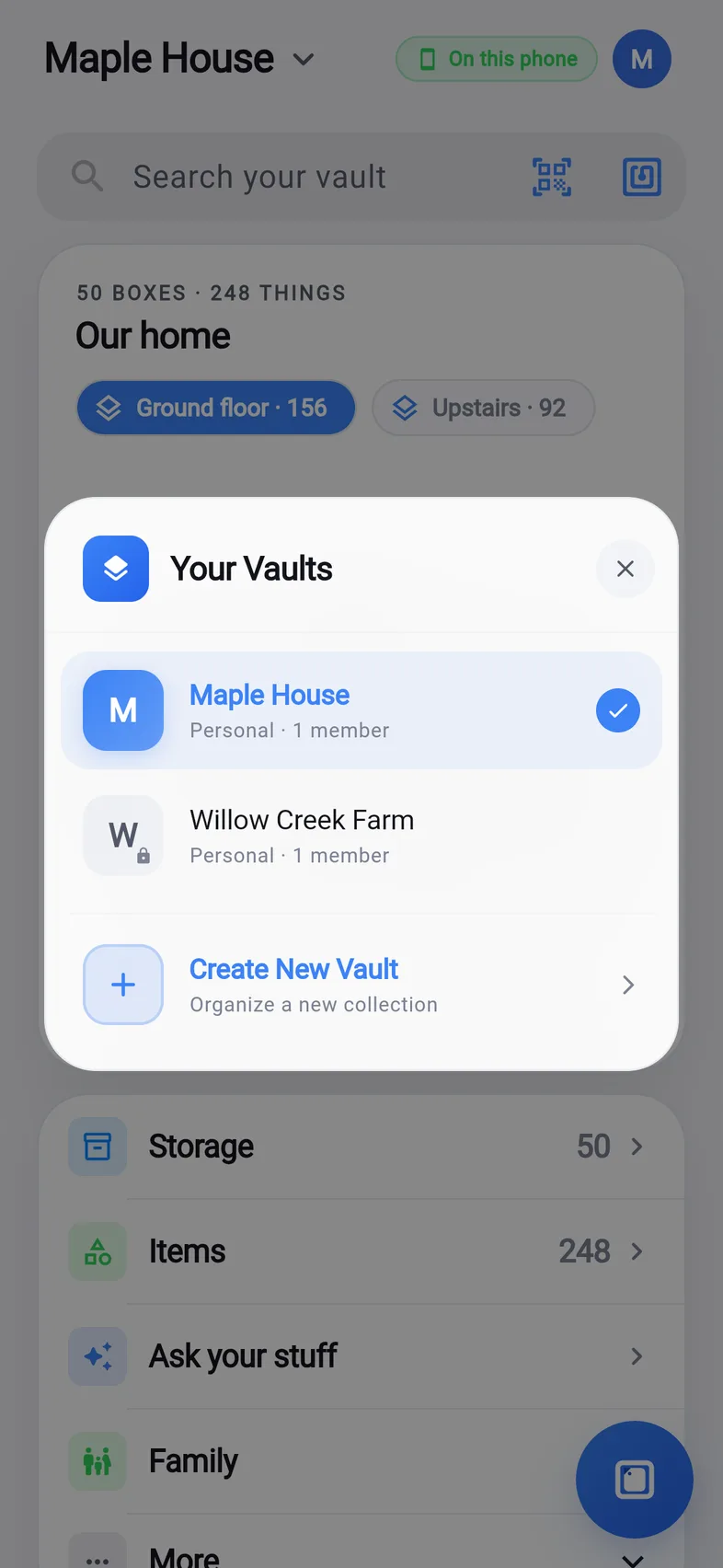
Keep your house, the office, the farm and the storage unit apart, each with its own map, boxes and people. Switch between them from the top of the screen.
  • House
  • Office
  • Barn
  • Shop
  • Garage
  • Storage unit
  • Studio
  • Holiday home
Your Vaults: Maple House and Willow Creek Farm, with Create New Vault

Family

Everyone finds it. Nobody signs up.

Your family's vault lives on each of your phones. When phones are near each other they swap updates directly, sealed with a family key only your phones hold.

  1. Open Family and tap Start a family.
  2. Choose what to share, from a single box up to whole floors.
  3. Your family scans the code with their Camera. If they don't have TagVault yet, the code takes them to get it first.
Owner

Runs the family, changes roles and invites people.

Adult

Adds, moves and deletes anything, and opens Records.

Kid

Adds and finds things. Can't delete yours or open Records.

Family screen in TagVault

Privacy

What's in your home stays in your home.

App Privacy

Data Not Collected

We don't collect any data from this app. There's nothing to collect it into.

  • No account. Open the app and start. Your name and picture stay on your phone.
  • No cloud, no server. Your things, photos and papers live inside TagVault on your devices.
  • AI on your phone. Photo naming uses Apple Vision on every iPhone, and Apple Intelligence where you have it. Nothing is uploaded.
  • Backed up your way. iCloud Backup includes TagVault, and you can save one locked backup file to Files or iCloud Drive.
  • No ads, no tracking. No analytics and no ad networks.

Read the full Privacy Policy.

What you need

Works on the iPhone you have.

Any recent iPhone

Search, the map, boxes, QR labels, family sharing and photo naming work on every iPhone that runs the app.

NFC sticker tags

Any NTAG213 or NTAG215 sticker. A pack of 20 costs a few dollars.

Apple Intelligence, if you have it

On iPhone models with Apple Intelligence, TagVault also writes fuller descriptions, reads receipt totals and answers in sentences.

Questions

Good questions.

Where is my stuff kept?

Only on your phones. There's no account and no server. Things, photos and records live inside TagVault on your device, and travel directly between your family's phones.

What if I lose my phone?

Your iPhone's iCloud Backup includes TagVault, so a restored phone gets everything back. For an extra copy, go to Settings › Save a backup: one locked file you can keep in Files or iCloud Drive.

How do I share with my family?

Open Family › Start a family, then Add someone and let them scan the code in person. After that, phones swap updates whenever they're near each other. No internet needed.

What can kids do?

Kids add things and find them. They can't delete what someone else added, can't open Records, and can't invite people. The owner or an adult can change anyone's role.

What does “Only me” do?

Open a box, tap ••• › Only me. That box, everything inside it and its photos stay on this phone. Family phones never get them, and drop copies they already had.

How do NFC tags work?

Open a box and tap Assign NFC tag, then hold the top of your iPhone to a sticker tag (NTAG213 or NTAG215). Later, tapping the tag opens that box straight away.

How does photo naming work?

Apple's recognition on your phone looks at the photo and suggests a name and tags. Newer iPhones with Apple Intelligence write a fuller description. Nothing is uploaded.

Does it cost anything?

No. TagVault is free, with no ads and no subscription.

Something else? Visit Support.
TagVault app icon: a white tag on blue

Give everything a place.

TagVault is in beta on TestFlight and coming soon to the App Store.

Who makes it

Built by one person, free for everyone.

TagVault is made by Yeswanth Varma Kanumuri at One Energy Together, a small studio that builds private, local-first apps. No ads, no accounts and no subscription, now or later.

Also from usCoreRunCompound your discipline. A habit and streak tracker that turns small daily actions into big results.View on the App Store ›